Zero Public IP Architecture: A Developer's Security Playbook
No public IP kills entire attack categories before you write a firewall rule. Learn the private networking patterns that keep your servers invisible.
 RB
RBLast updated
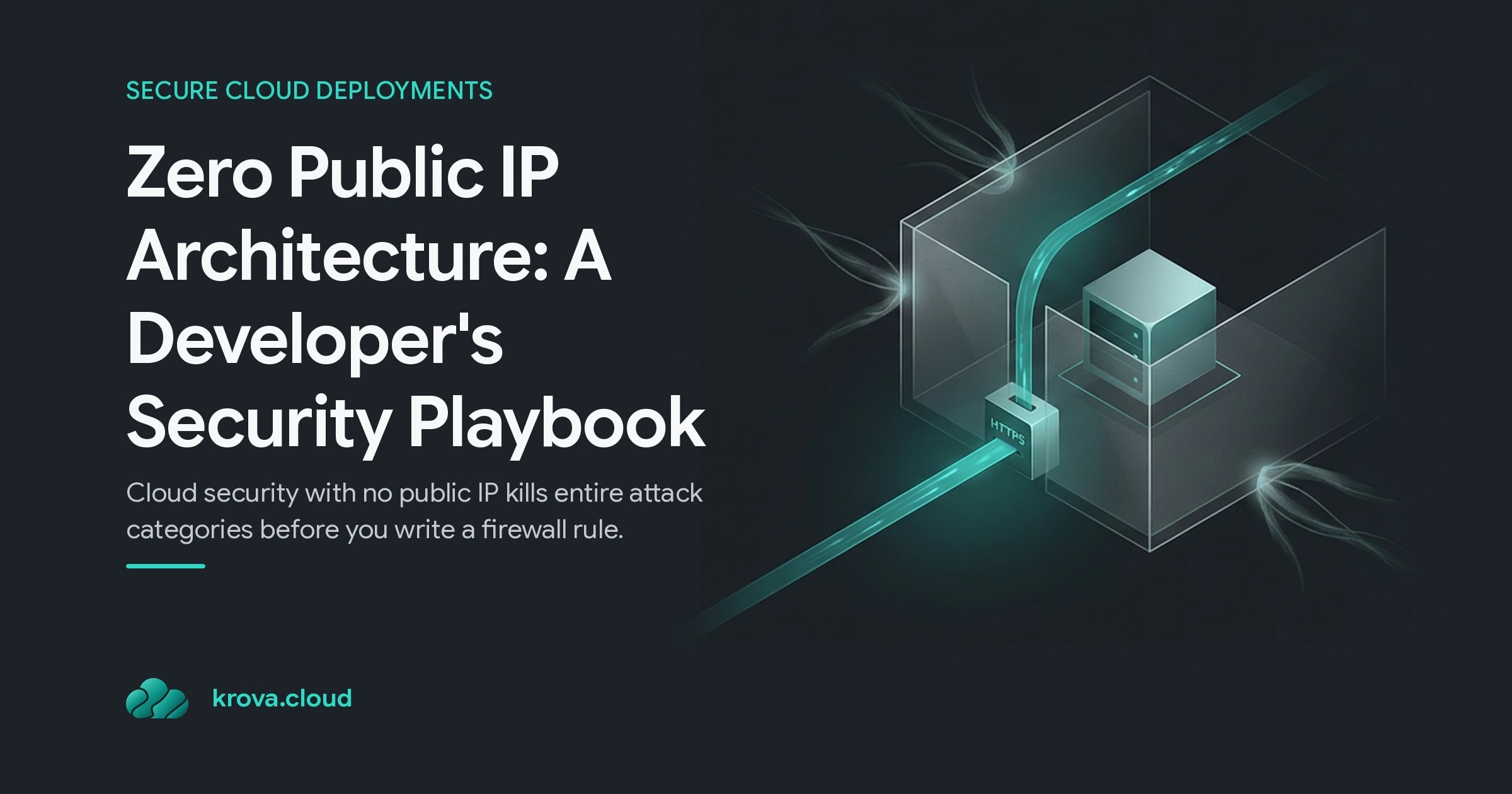
Every server you give a public IP is a server that port scanners can find, brute-force bots can hammer, and remote exploits can target. Cloud security improves dramatically when you embrace cloud security no public IP: most of your workloads never needed to be reachable from the internet in the first place.
Here's the payoff of practicing cloud security no public IP. If there's no direct route from the open internet to your instance, an outside attacker has nowhere to aim. You remove an entire class of unauthorized-access and remote-exploit risk before you write a single firewall rule. AWS says the same thing plainly in its own guidance: a public IP can expose an instance to unauthorized access or attacks, and plenty of workloads simply don't need one.
This playbook shows you how to build for that reality without losing access to your own machines.
Cloud Security Without Public IPs: Why Exposure Is a Liability
Think about what actually needs to face the internet. A load balancer. An API gateway. Maybe a single bastion host. That's usually it.
Now think about everything that doesn't: your background workers, your databases, your internal microservices, your AI training jobs, your queue consumers. Say you run 40 background workers that only ever talk to a message queue and a database. In a cloud security no public IP architecture, not one of those 40 machines has any business holding a public IP, yet the default on many platforms is to hand one out anyway.
The cost of that default lands in three places:
- Security. A public IP is an open invitation to scanners and exploit bots. Remove it and the attack surface reduction is immediate, no configuration required.
- Compliance. Standards like PCI DSS and HIPAA care about network segmentation and access controls. Instances without unnecessary public IPs make those audits far easier to pass.
- Cost. Public IPv4 addresses are a metered, billable resource now. Multiply a small hourly charge across dozens of instances running around the clock and you're paying real money for exposure you didn't want.
You get safer, cheaper, and more compliant by removing something. That's a rare deal in infrastructure.
What Is Cloud Security With No Public IP?
Cloud security with no public IP is an architecture where your compute instances live entirely inside a private network and have no directly routable internet address. They can still talk to what they need. They just can't be reached from the outside without going through a controlled entry point you own and monitor.
The key phrase is controlled access, not no access. "No public IP" doesn't mean you can't SSH into your box or ship traffic to your users. It means every path in and out is deliberate.
Underneath, this leans on private cloud networking primitives you already have:
- A virtual network (VPC or VNet) where instances get private IPs only.
- Private endpoints and private links so your machines reach managed services (databases, storage, queues) without ever touching the public internet.
- Explicit routing and security group rules that define exactly which traffic is allowed and from where.
Microsoft's Private Link, for example, lets service resources be reached through private endpoints inside your network with no public IP needed at all, removing public internet access to those resources entirely. The pattern is the same across providers: keep the data plane private, and make internet exposure an exception you opt into.
How to Reach a Private Server Without Exposing It
The most common objection to a secure cloud deployment with no public IPs is "but I still need to get in." Fair. Here are the patterns that give you access without punching a hole in your perimeter.
Use a bastion service instead of open SSH or RDP ports. Rather than exposing SSH or RDP to the internet behind a firewall rule, a managed bastion tunnels your session in over TLS, the core principle of cloud security no public IP. Azure Bastion, for instance, gives you RDP and SSH access to a VM straight from the portal without that VM ever holding a public IP. One hardened, monitored entry point replaces dozens of exposed ports.
Route inbound traffic through a firewall with DNAT. When you genuinely need to reach a private VM, put a firewall in front of it. The firewall holds the public IP, a DNAT rule forwards specific traffic to the VM's private address, and network rules ensure only the firewall can talk to that VM directly. This cloud security no public IP approach gives you a single, logged, inspected door instead of many unguarded ones.
Prefer private connectivity for service-to-service traffic. Direct private connections bypass public internet routing altogether, adding a layer that internet-based attacks can't reach. Your workers hit the queue, your app hits the database, and none of it ever leaves your private network.
Encrypt anyway. Going private removes the direct attack path, but it isn't a license to skip encryption. Encrypt data at rest and in transit so that even a compromised internal actor can't read what they grab. Customer-managed keys give you tighter control when you need it.
The Trade-Offs and Mistakes People Make
This architecture is a strong default, but it isn't free of friction. Know the trade-offs going in.
Access ergonomics take a moment to set up. Your team can't just paste a public IP into an SSH client anymore. You configure a bastion or a jump path once, and everyone routes through it. Slightly more setup, dramatically less exposure.
Outbound internet still needs a plan. A private instance with no public IP often can't reach the internet to pull packages or updates unless you add a NAT gateway or a proxy. People forget this and then wonder why apt update hangs. Decide up front what outbound access each workload actually needs.
"Private" is not "unmonitored." The biggest mistake is treating the internal network as trusted and stopping there. A cloud security no public IP strategy keeps logging your bastion sessions, keeps your security group rules tight, and keeps a DDoS plan for the endpoints that do face the internet. Attack surface reduction shrinks the target; it doesn't remove the need to watch what's left.
Don't over-isolate what needs to talk. Lock things down so hard that legitimate services can't reach each other and you'll spend your week debugging routing instead of shipping. Private cloud networking is about intentional paths, not zero paths.
Your Zero Public IP Deployment Checklist
Ready to apply it? Work through this before your next deploy:
- Audit which instances hold a public IP today. For each one, ask: does this genuinely need to be reachable from the internet? Most won't.
- Strip public IPs from everything internal: workers, databases, internal APIs, batch and AI jobs.
- Stand up one controlled entry point (a managed bastion or a firewall with DNAT) for the rare cases you need inbound access.
- Wire managed services through private endpoints so no traffic leaves your network to reach them.
- Add a NAT path only where outbound internet is actually required.
- Encrypt in transit and at rest, and turn on logging for every entry point.
The instances you make invisible are the ones no attacker can touch. That's the entire game.
FAQ
Does no public IP mean I can't SSH into my server? No. In cloud security no public IP scenarios, you access it through a controlled path instead of an open port. A managed bastion or a firewall with a DNAT rule lets you SSH or RDP into a private VM over an encrypted, logged channel without that VM ever holding a public address.
Will removing public IPs actually lower my cloud bill? Often, yes. Public IPv4 addresses are billed as a metered resource, so dropping them from dozens of always-on instances removes a recurring charge on top of shrinking your attack surface.
How do private instances reach the internet for updates? They route outbound traffic through a NAT gateway or proxy. Inbound remains blocked while outbound package pulls and API calls still work, so you keep the security benefit without breaking your workflows.
Is a private-only setup enough to be compliant with PCI or HIPAA? It's a strong start. Standards like PCI DSS and HIPAA require network segmentation and access controls, and removing unnecessary public IPs directly supports those requirements. Pair it with encryption, logging, and access reviews for full coverage.
Deploy secure microVMs with zero public IPs
Spin up isolated Firecracker microVMs in seconds with private networking: no cluster overhead, pure security.