How to Host Multiple Isolated Apps on One Cloud Account Safely
Learn how isolated cloud app hosting lets you run multiple apps on one account without noisy neighbors or data leaks. Practical setup and trade-offs.
 DM
DMLast updated
One misconfigured shared container can leak another app's environment variables, and you might not find out until a customer does. With isolated cloud app hosting, you can stack three, five, or a dozen apps onto a single cloud account to save money, but that risk quietly compounds with every deploy when proper isolation is missing.
You can run all of those apps on one account and keep them genuinely separated. Isolated cloud app hosting is the practice of giving each app its own boundary for compute, storage, and networking so a failure or breach in one never spills into the others. This is the same principle that pushed Atlassian to launch Atlassian Isolated Cloud into general availability on June 29, 2026, a model where each customer gets a dedicated slice of infrastructure instead of sharing everything.
Let's walk through how to do this yourself without over-engineering it or blowing your budget. Done right, isolated cloud app hosting is one of the cheapest insurance policies you can buy.
What Is Isolated Cloud App Hosting?
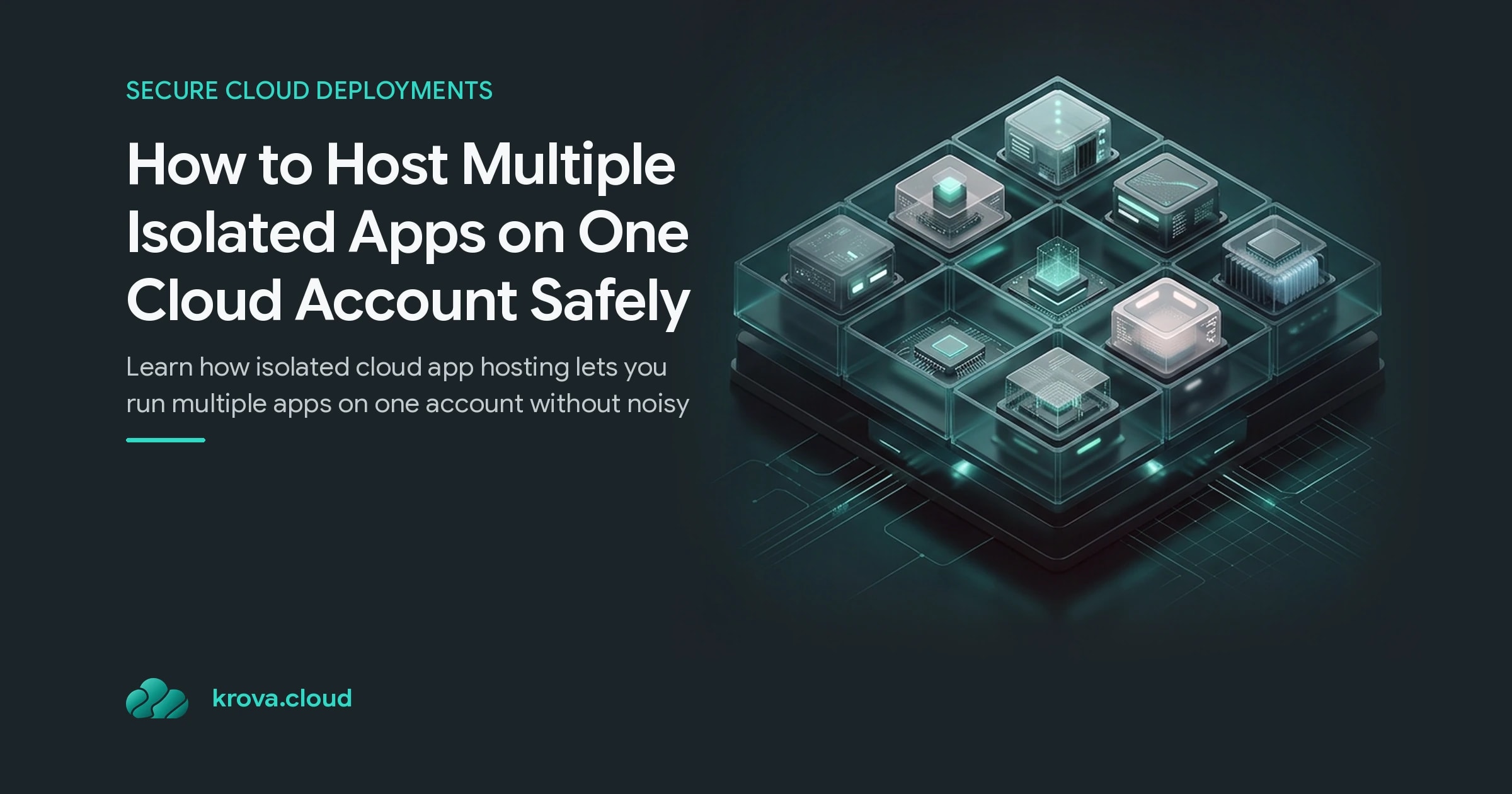
Isolated cloud app hosting means each application runs inside its own protected environment, with compute, storage, and networking compartmentalized away from every other app on the account.
Compare that to the default setup most people start with. You spin up one big server, drop several apps on it, and they all share the same CPU, memory, filesystem, and network stack. That's convenient until one app hogs resources or gets compromised.
True app isolation cloud setups draw hard walls between workloads. Atlassian's approach is a useful reference point: it provisions dedicated servers, storage, and databases inside a virtual private cloud, with each customer's instance physically and logically separated from everyone else's. That's single-tenant architecture, and it's the strictest end of the isolated cloud app hosting spectrum.
You don't always need full single tenancy. For most builders, the sweet spot is strong multi-tenant cloud isolation, where apps share the same account or host but are fenced off by microVMs, containers with strict boundaries, or separate network segments. You get the cost savings of sharing with most of the safety of dedicated infrastructure.
Why Running Multiple Apps on One Account Goes Wrong
Most people get this wrong in the same three ways, and each one shows up in production at the worst possible time.
The noisy neighbor. App A launches a heavy batch job and eats all the CPU. Apps B and C slow to a crawl. With no isolation, one workload's spike becomes everyone's outage. Dedicated environments cut this because there are fewer shared services competing for the same resources.
The blast radius problem. If all your apps share a filesystem or a set of credentials, a single compromised app hands an attacker the keys to the rest. Isolation shrinks the blast radius so a breach in one app stays trapped there.
The compliance gap. If you handle regulated data, auditors want to know where it lives and who can touch it. Shared hosting makes that hard to prove. This is exactly why security-first organizations move to isolated cloud app hosting: they need data residency in a specific region and restricted access controls they can actually demonstrate.
Here's the honest part. You can ignore all three of these when you're running a weekend side project. The moment you have real users, real data, or a paying customer, the math flips fast.
How to Set Up Secure Multi-App Hosting Step by Step
Secure multi-app hosting isn't about buying the most expensive tier. It's about drawing the right boundaries in the right order. Here's a practical sequence for isolated cloud app hosting.
- Give each app its own compute boundary. Run every app in its own microVM or hardened container rather than as processes on a shared host. MicroVMs are the practical choice here because they boot in well under a second, use a fraction of the memory of a full VM, and still give you kernel-level separation between apps.
- Separate storage per app. Never let two apps write to the same volume by default. Give each its own storage so a bug or breach in one can't read or corrupt another's data.
- Segment the network. Put each app on its own network segment and open only the ports it actually needs. Deny everything else. If App A never needs to talk to App B's database, that path shouldn't exist.
- Split identity and secrets. Use a separate set of credentials, API keys, and environment variables per app. When one app's secrets leak, the others stay untouched.
- Pick your region deliberately. Deploy each app in the region that matches its data residency needs. Many teams require this to meet sovereignty rules, and it's far easier to set at creation than to fix later.
Say you run three apps: a public marketing site, a customer dashboard, and an internal analytics tool. The marketing site can be permissive. The dashboard needs strict isolation and its own encryption. The analytics tool should have no inbound public access at all. Match the isolation level to the risk of each app instead of applying one blunt policy across all of them.
The Trade-Offs: Where App Isolation Cloud Setups Cost You
Stronger isolation is never free, and pretending otherwise leads to regret. Here's where isolated cloud app hosting costs you.
Money. Fully dedicated, single-tenant infrastructure is the priciest option because you're not sharing anything. That's the whole point, and it's why it's aimed at large enterprises rather than early-stage startups. MicroVM-based isolation lands in the middle: much safer than shared processes, far cheaper than full dedicated servers.
Operational overhead. More boundaries mean more to manage: more network rules, more secrets, more deploy targets. Managed platforms absorb a lot of this. Atlassian's Isolated Cloud, for instance, is fully managed by Atlassian, so the customer skips the maintenance work they'd carry with self-hosted data centers.
Speed of iteration. Tight isolation can slow you down early when you're changing everything daily. The counterweight is that managed isolated platforms often give you immediate access to new features and elastic scaling, versus the slower, manual upgrades of self-managed infrastructure.
The common mistake is going straight to maximum isolation for every app on day one. Start with microVM-level separation for your sensitive apps, keep the low-risk ones lighter, and tighten as your user count and compliance needs grow.
Your Next Steps for Isolated Cloud App Hosting
You don't need to rearchitect everything this week. Do this instead:
- Audit today. List every app on your account and mark whether it shares compute, storage, credentials, or network with any other app. Every shared box is a risk to close.
- Rank by risk. Sort apps by the sensitivity of the data they touch. Isolate the top of that list first.
- Move one app to a microVM. Pick your highest-risk app and give it its own microVM, storage, and secrets this week. Prove the pattern, then repeat.
- Decide your ceiling. If you're handling regulated data or facing enterprise buyers, plan toward single-tenant isolated cloud app hosting. If not, strong multi-tenant cloud isolation is plenty.
Start with one app. Draw the boundary. Everything after that is just repetition.
FAQ
What is the difference between isolated cloud app hosting and shared hosting? Shared hosting runs multiple apps on the same compute, storage, and network, so one app's spike or breach affects the rest. Isolated cloud app hosting gives each app its own boundary, so failures and attacks stay contained to a single app.
Do I need full single-tenant isolation for a small startup? Usually not. Single tenancy is built for large enterprises with strict compliance and sovereignty needs. Most startups get strong protection from microVM-based multi-tenant cloud isolation at a fraction of the cost.
How do microVMs help with app isolation in the cloud? MicroVMs give each app kernel-level separation while booting in under a second and using minimal memory. That means you get near-dedicated safety and cost efficiency close to lightweight containers, which is what makes microVM-based isolated cloud app hosting so appealing.
Can isolated hosting help with data residency and compliance? Yes. Deploying each app in a chosen region with restricted access controls and per-app encryption makes it far easier to prove where data lives and who can reach it, which is exactly what auditors ask for and a core reason teams adopt isolated cloud app hosting.
Host isolated apps safely on one account
Run multiple apps in separate microVMs on Krova: instant isolation without the complexity of managing Kubernetes clusters.